How to Download Patta Chitta Online in Tamil Nadu
Start from the official homepage and not from a search advertisement or an unknown download site. Keep your deed or an earlier extract beside you, because you need the exact village and survey details.
- Open Tamil Nadu land-records e-Services at eservices.tn.gov.in.
- Choose the Patta/Chitta viewing service for your land. For town land, choose the TSLR service instead.
- Select the district, taluk and village shown in your document.
- Enter the Patta number, or the survey number with its subdivision, and complete the verification shown.
- Open the record and check the holder, survey number and extent against your deed.
- Use the Download or Print option, then save the file and note the date you retrieved it.
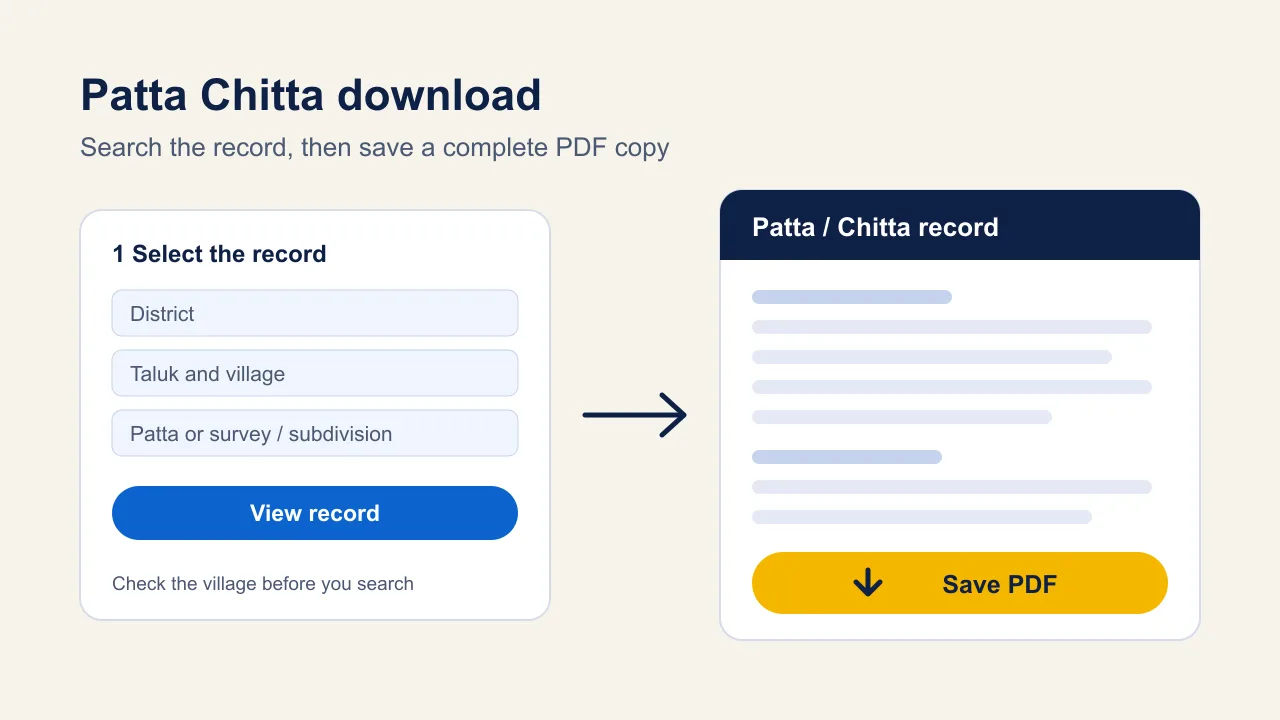
For the search steps in more detail, read how to view Patta Chitta online.
What Can You Download? Buttons for Every Record
Land records sit on different portals. Use the button that matches the record you need.
| Record | What you get | Go to |
|---|---|---|
| Patta / Chitta (rural and Natham) | Revenue entry with holder, survey details, extent and classification | Download Patta Chitta ↗ |
| TSLR extract (urban land) | Town Survey Land Register entry for a town, ward and block | Download TSLR ↗ |
| FMB sketch | Field measurement drawing for the survey number | Download FMB ↗ |
| A-Register | Village register extract with classification and assessment | Open A-Register ↗ |
| Verify an issued copy | Compare a copy you already hold with the record | Verify copy ↗ |
| New Patta after a transfer | Download the record once the transfer is approved | Open TamilNilam ↗ |
| Encumbrance Certificate (EC) | Registered dealings on TNREGINET, a different portal | Open TNREGINET ↗ |
| TamilNilam app (Android) | View and save land records on a phone | Get the app ↗ |
Each record has its own guide: FMB sketch, TSLR extract, EC View and Patta transfer status.
How to Save the Patta Chitta as a PDF
If the result page has a Download button, use it. If it only offers Print, use your browser to save the page as a file.
- On a computer, press Ctrl + P (or Cmd + P on a Mac) on the result page.
- Under Destination or Printer, choose Save as PDF.
- Check the preview: every page, the survey number and all rows must be visible and not cut off.
- Click Save, and give the file a clear name such as the village and survey number.
On a phone, open the browser menu, choose Print or Share, and then Save as PDF. Do not crop, edit or rename the contents of the file before you hand it to anyone.
Can You Download Patta Chitta on a Mobile Phone?
Yes. The portal opens in a mobile browser, and Android users can install the TamilNilam app from Google Play, published by the National Informatics Centre. Some look-alike apps exist, so check the publisher first. Our Patta Chitta EC APK guide explains how to tell the official apps apart.
Is a Downloaded Patta Chitta Valid?
A saved PDF is a copy of what you viewed. It does not add certification, a signature or any approval, and it does not change the entry. Banks, courts and government offices decide which version they accept, so ask before you submit one.
To check a copy someone else gave you, use the separate Verify Patta/Chitta service. Also remember that a Patta entry does not settle ownership by itself, so compare it with your title documents.
Is Patta Chitta Download Free?
Fees depend on the service and the channel. The e-Services homepage states that FMB copies can be downloaded free. A charge such as the ₹60 for a Patta-transfer application at a Common Service Centre is a centre charge for that application, not a fee for every download. Confirm the named service and get a receipt before you pay, and do not pay an agent just to open a record you can view yourself.
Common Download Problems and Fixes
- No record found: recheck the village, because the same survey number can exist in several villages, and use the full subdivision number.
- Blank or cut-off PDF: use the print preview, and try another browser such as Chrome or Edge.
- Download button does nothing: allow pop-ups for the portal, or use Print and Save as PDF instead.
- Captcha or page error: refresh the captcha, avoid the back button and try again later if the portal is busy.
- Wrong or garbled Tamil text: do not use automatic translation, and download the file again from the original result.
- Details differ from your deed: do not ignore it. Apply for a correction through the transfer process and follow it in the status guide.
Frequently Asked Questions
Can I Download Patta Chitta Without Logging In?
Viewing a record generally needs only the location and parcel details, not an account. Services such as applying for a transfer may ask you to register. Follow what the official page asks for on the day you use it.
Is a Downloaded Patta Chitta PDF Valid for a Bank or Court?
A downloaded PDF preserves what you viewed, but it does not add certification or a digital signature. Acceptance depends on the bank or office, so ask which version it needs and request the authenticated copy it names.
Can I Download Patta Chitta by Owner Name?
The dependable method is district, taluk, village and the Patta or survey and subdivision number from your deed or an earlier extract. Search options can change, so use the fields the portal offers. If you only have a name, ask the village office to help find the parcel number.
How Do I Download Patta Chitta on My Mobile?
Open the e-Services portal in your mobile browser, view the record and use Print, then Save as PDF. Android users can also use the TamilNilam app from Google Play. Check that the publisher is the National Informatics Centre before installing.
Why Is the Tamil Text Wrong in My Downloaded Copy?
Do not run the page through automatic translation, because the portal warns that it can alter names. Keep Tamil names as issued, and check the saved file for cropped or missing rows. If the file looks wrong, download it again from the original result.
How Long Is a Downloaded Patta Chitta Valid?
There is no fixed validity period we can confirm for a saved PDF. Entries change after a sale, partition or inheritance, so download a fresh copy with the retrieval date before a purchase, loan or transfer.